
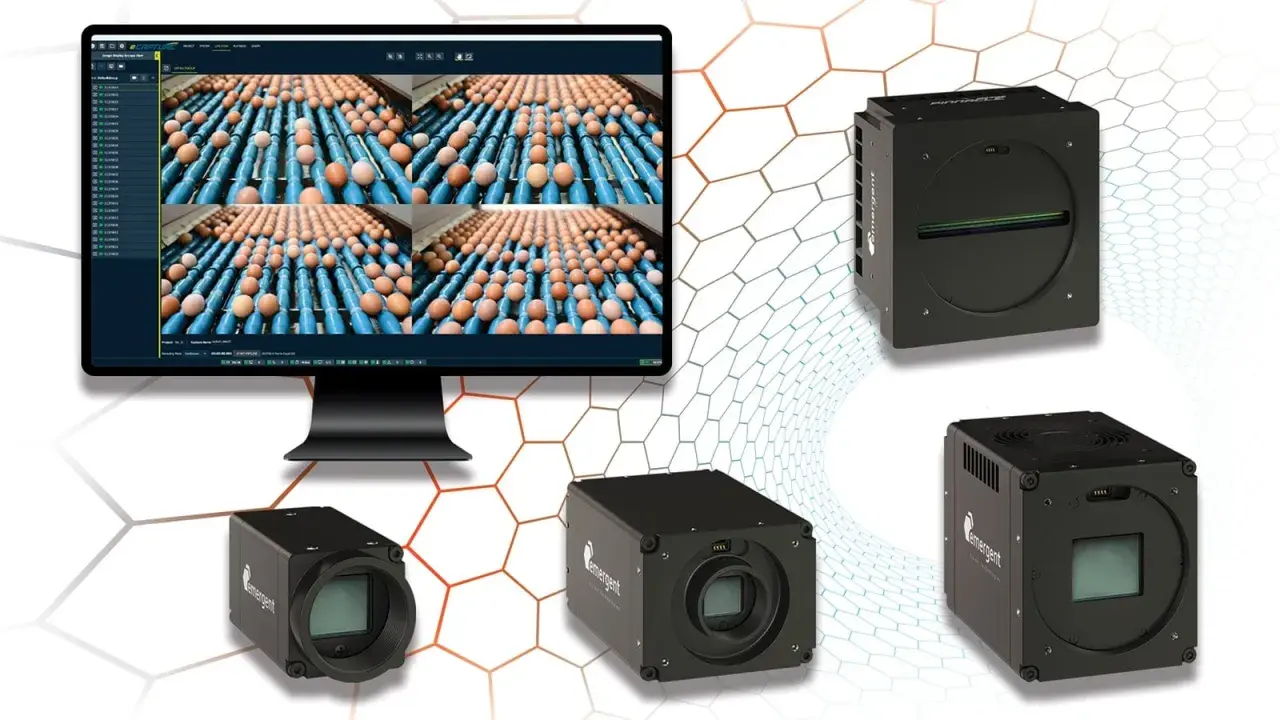
The GigE Vision standard sits at the point where industrial imaging and ordinary Ethernet meet. For machine builders and automation teams, that matters because the standard defines how cameras are discovered, configured, and streamed across a network without forcing a proprietary bus into the design. In practice, it is often the difference between a camera setup that scales cleanly and one that becomes fragile the moment you add a second line, a longer cable run, or a faster sensor.
What matters most when you put industrial cameras on Ethernet
- GigE Vision uses standard Ethernet to move image data and camera control traffic, which keeps integration flexible and vendor-neutral.
- The practical stack is split between control, streaming, discovery, and camera feature description, so networking and camera configuration are tightly linked.
- Copper still covers most installs at up to 100 m, while fibre is the better answer when distance or EMI becomes the problem.
- Most bottlenecks come from the network design around the camera, not the standard itself: switch choice, NIC settings, packet size, and bandwidth headroom all matter.
- As of 2026, the ecosystem includes mature 1 GigE, 5 GigE, and 10 GigE deployments, with GigE Vision 3.0 adding RoCEv2 as a newer streaming option.
What the standard actually covers
I treat GigE Vision as a transport and interoperability layer, not just a camera port. It defines how a compliant camera talks over Ethernet, how the host discovers it, how features are read and written, and how image payloads move from sensor to application. That is why the standard has lasted: it solves the unglamorous parts of industrial networking, which are usually the parts that break first.
In most deployments, the appeal is straightforward. You can use standard Ethernet hardware, long cable runs, and a wide ecosystem of software and cameras. For many integrators, that means no frame grabber, fewer custom parts, and a cleaner path to multi-vendor systems.
Why GenICam matters here
GigE Vision does not exist in isolation. GenICam supplies the common programming model and the machine-readable feature description that lets software expose camera controls in a consistent way. In plain terms, GenICam is what stops every camera from feeling like a one-off device with its own private command set.
That pairing is why interoperability is practical rather than theoretical. The transport layer moves the bytes, and the GenICam layer makes the camera understandable to software. Once you see it that way, the standard becomes easier to evaluate in a real project, and the next step is understanding the traffic itself.
How the protocol stack moves control and image data
The network traffic is split into distinct jobs, and that separation is one of the reasons the system is manageable. Control messages do not have to fight with image payloads for the same logic path, and the host can discover and configure a camera without guessing at vendor-specific packet formats.
Control traffic
GVCP, the control protocol, handles discovery and configuration. It rides on UDP over IPv4, which keeps the command side lightweight and fast. This is the part that lets a host find a camera, assign or confirm addressing, and change acquisition settings such as exposure, gain, or trigger mode.
Image streaming
GVSP is the stream protocol used for image transfer in the classic implementation. The important thing is not the acronym itself but the behaviour: the camera must move frames predictably, with mechanisms that let the host reconstruct the stream and recover from loss when the network is stressed. In an industrial setting, that predictability matters more than raw bandwidth on a spec sheet.
Discovery and feature description
Each device has its own IP identity, and its XML description file acts like a machine-readable datasheet. That is what allows software to present controls consistently, even when the camera vendor changes. If you have ever integrated mixed camera fleets, you already know how valuable that is.
With the protocol map in mind, the next question is how to build the network itself so it stays reliable once the line is running.

How to design a camera network that actually holds up
The network around the camera often decides whether the install feels robust or temperamental. I start with three questions: how much bandwidth does the camera really need, how far is the run, and what else shares the wire or switch?
EMVA notes that cable length depends on the cable and the number of cameras. In practical terms, copper is typically used up to 100 m, while fibre can reach 5,000 m in single-camera scenarios. That difference is not academic; it changes how I plan racks, panels, and the physical layout of a machine cell.
| Medium | Practical reach | Best for | Trade-off |
|---|---|---|---|
| Copper Ethernet | Up to 100 m | Most machine cells, PoE cameras, straightforward installs | More exposed to EMI if cabling is poor and bandwidth is shared |
| Fibre optic | Up to 5,000 m in single-camera setups | Noisy plants, long distances, remote cabinets | Higher cost and no PoE |
| Direct attach / short runs | Very short | Cabinet-level high-speed links | Not suited to distributed layouts |
Power is the other practical detail people understate. PoE simplifies wiring and commissioning, but only if the switch budget is sized for the full camera load, not the average load. When a line scales from two cameras to six, power planning is usually where the first surprise shows up.
That design work matters because most failures are not caused by the standard itself, but by the way the standard is deployed.
Where installations fail in practice
The standard itself is rarely the problem. The usual failures are more mundane: too little bandwidth margin, poor cabling, unmanaged switches, or settings that were copied from a lab rig into a production cell without retesting. If I had to name the most common mistake, it would be treating “Ethernet” as if all Ethernet behaved identically under load.
- Oversubscribing the uplink - multiple cameras can saturate a switch or NIC long before the nominal line rate looks alarming.
- Ignoring packet size and resend behaviour - a network that works at one frame size can become unstable once resolution or frame rate rises.
- Mixing camera traffic with noisy general-purpose traffic - backups, remote access, and machine telemetry can interfere if the network is not segmented.
- Skipping cable quality checks - industrial environments punish marginal terminations, bend radius mistakes, and cheap patch leads.
- Assuming PoE solves everything - it simplifies power delivery, but it does not fix a congested or badly designed network.
How it compares with other industrial camera interfaces
GigE Vision is not the only serious option for machine vision, so the right choice depends on the job. If the install needs long cable runs, standard Ethernet hardware, and broad interoperability, it remains one of the safest picks. If the application is ultra-latency-sensitive or pushing very high data rates, another interface may be the cleaner fit.| Interface | Where it fits best | Main advantage | Main trade-off |
|---|---|---|---|
| GigE Vision | General machine vision, multi-camera cells, longer runs | Standard Ethernet, flexible networking, mature ecosystem | Bandwidth and latency depend heavily on network design |
| USB3 Vision | Short cable, direct camera-to-PC setups | High throughput without a network switch | Distance and topology are less flexible |
| CoaXPress | Very high-performance inspection and frame-grabber-based systems | High bandwidth and deterministic behaviour | Typically more specialised hardware and higher integration cost |
My rule of thumb is simple: choose GigE Vision when networking flexibility is part of the requirement, not an afterthought. Choose something else when the camera is so close to the computer, or the performance target so aggressive, that Ethernet flexibility stops paying for itself. That is especially true now that the standard keeps evolving rather than standing still.
What changed in 2026 and what I would check before buying
As of 2026, the ecosystem is no longer limited to the original 1 GigE mental model. A3 approved GigE Vision 3.0 on 17 April 2026, adding RoCEv2 as a newer streaming path alongside the established GVSP approach. In practical terms, that pushes the ecosystem further toward lower CPU load and higher throughput where the hardware supports it.
The previous 2.2 revision had already added GenDC streaming and multi-event data, so the standard’s evolution has been about extending transport options rather than resetting the whole model. That is useful to know, because it tells me the networking story is maturing, not fragmenting.
- Confirm the required frame rate and bit depth before choosing the network speed.
- Check whether the deployment needs PoE, fibre, or a locked industrial connector.
- Verify that the host NIC and drivers are tuned for the camera workload.
- Make sure the switch supports the traffic pattern if more than one camera is sharing infrastructure.
- Plan for future sensors, because bandwidth requirements usually rise faster than people expect.
If I were commissioning a new line today, I would treat those checks as mandatory, not optional. They are the difference between a stable imaging network and a system that only looks fine during the first demo.
The commissioning checklist I would use before going live
Before I sign off a new camera network, I want the physical layer, transport layer, and application layer all verified under realistic load. That usually means running the camera at the expected resolution and frame rate, watching switch and NIC counters, and confirming that trigger timing still behaves when the rest of the machine starts moving.
I would also keep one practical habit: leave headroom. A network that is technically capable of carrying the stream is not the same as a network that can absorb bursts, retries, maintenance traffic, and future expansion without complaint. That margin is cheap at design time and expensive once the line is running.
For me, that is the real value of GigE Vision in industrial automation: it gives you a standardised Ethernet foundation, but it still asks you to think like a network engineer. When you do that well, the cameras become easier to deploy, easier to scale, and much easier to trust.
