
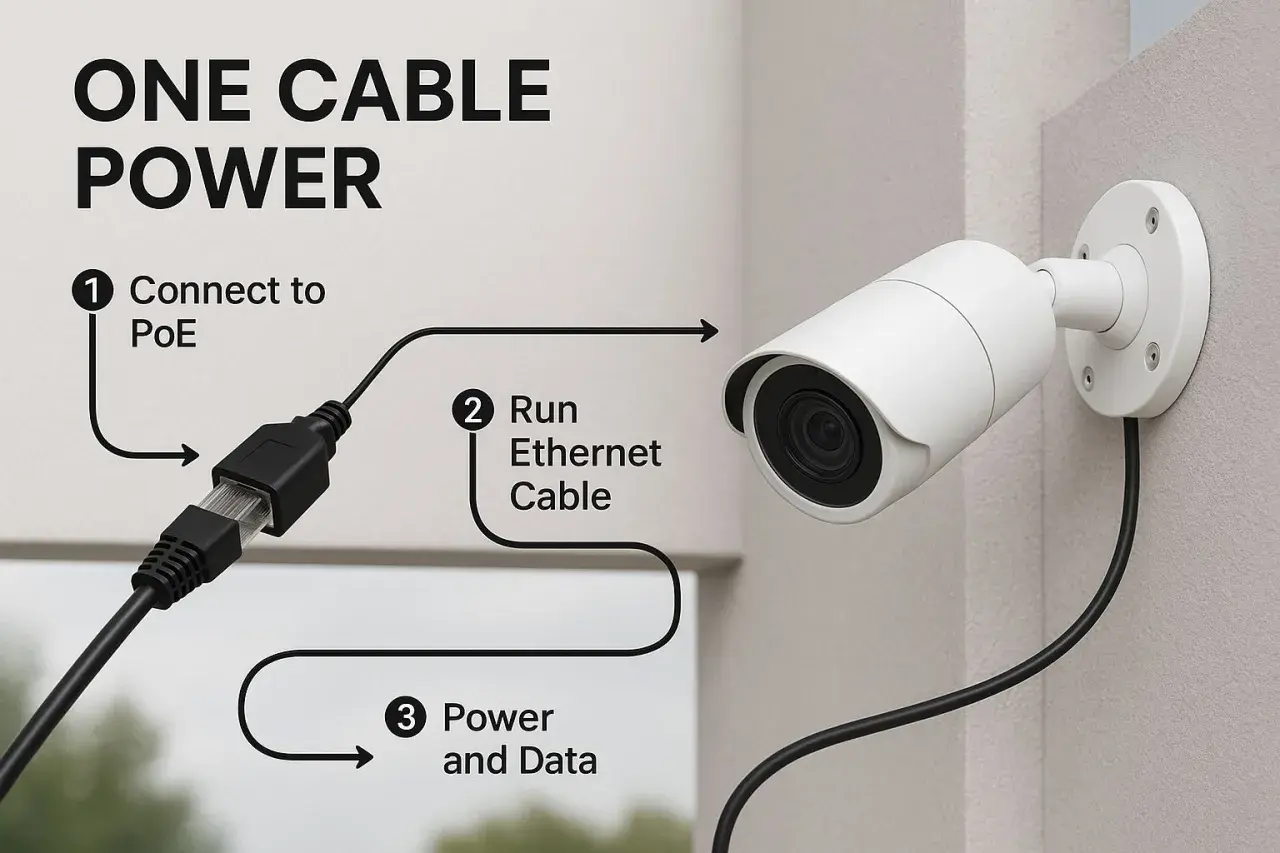
The LAN vs PoE comparison is really about two different jobs in the same cable plant. A local area network moves data between devices in a building or site, while Power over Ethernet moves electrical power over the same copper cable so the endpoint does not need its own socket. In practice, the useful question is not which one wins, but when a device needs only connectivity and when it also needs centralised power.
The short version is that LAN handles data and PoE adds power without changing the network link
- LAN is the network layer that connects devices and carries traffic.
- PoE is a power delivery method that runs over Ethernet cabling.
- PoE does not increase speed; it improves installation flexibility and power management.
- Copper Ethernet links are typically planned around a 100 m channel limit, so distance still matters.
- PoE power classes range from roughly 15.4 W to 90 W, depending on the standard and the switch.
- For UK retrofits, PoE often makes sense when adding mains sockets would be slow, costly, or disruptive.
What each technology actually does
I usually frame a LAN as the communication fabric and PoE as a convenience layer on top of it. The LAN is what lets a switch, server, PC, camera, sensor, or controller talk to the rest of the network. PoE is what lets that same Ethernet cable also carry DC power to the endpoint, so the device can be mounted where a wall socket would be awkward or impractical.That distinction matters because these technologies solve different problems. LAN answers questions such as bandwidth, topology, VLAN design, and reliability. PoE answers questions such as how many watts a port can supply, whether the cable can handle the load safely, and whether the switch or injector can support the devices attached to it. A PoE camera is still a LAN device; it just does not need a separate power adaptor.
I find this easy to explain to non-specialists: LAN moves the traffic, PoE powers the endpoint. Once that lands, the rest of the decision becomes much more practical and far less confusing.

Why they are often used together
People often compare LAN and PoE as if they were alternatives, but in real deployments PoE usually rides on top of a normal Ethernet LAN. That is why it shows up so often in offices, warehouses, retail sites, and industrial environments. One cable can replace a data drop plus a local power adaptor, and that makes a real difference when the device is mounted on a ceiling, an exterior wall, or a machine frame.
- Fewer outlets - one Ethernet run can replace both a data cable and a local PSU.
- Cleaner installs - useful for ceilings, access points, cameras, badge readers, and compact sensors.
- Centralised backup - if the switch is on a UPS, the PoE endpoints stay up too.
- Faster changes - moving a device is much simpler when power travels with data.
In the UK, that simplicity is especially attractive in retrofit work where adding mains power can mean extra labour, extra disruption, and more coordination with electrical contractors. PoE does not remove the need for good network design, but it often removes one of the messiest parts of the installation.
That convenience is exactly why PoE has become so common in smart manufacturing and IoT. The trade-off is that you now have to think about power budgets, not just port counts, which brings us to the practical limits.The trade-offs that matter most
The biggest mistake I see is treating PoE as if it were just "free power over Ethernet". It is not free, and it is not unlimited. The network still follows Ethernet cabling rules, and the power side has its own ceilings, losses, and thermal constraints.
| Factor | LAN | PoE |
|---|---|---|
| Main role | Moves data between devices | Delivers power over the Ethernet link |
| What it changes | Throughput, topology, resilience | Installation simplicity, device placement, backup strategy |
| Common limit | Depends on switch capacity, cabling category, and network design | Depends on wattage class, cable quality, and total PoE budget |
| Copper distance | Typically planned around a 100 m channel | Also typically planned around a 100 m channel |
| Speed impact | Determined by the Ethernet standard in use | Does not increase or reduce data speed by itself |
| Main risk | Underspecifying bandwidth or topology | Ignoring power draw, heat, and switch capacity |
For power classes, the shorthand is straightforward. IEEE 802.3af is the classic PoE level at up to 15.4 W from the power sourcing equipment. IEEE 802.3at raises that to 30 W. IEEE 802.3bt adds higher-power options, commonly discussed as 60 W and 90 W classes. The usable power at the device is lower than the source rating because of cable and conversion losses, so I always treat the switch rating as a ceiling, not a promise.
In 2026, that power headroom matters more than the marketing term on the box. A network built for a few phones and cameras can look fine on paper, then run out of budget the moment someone adds higher-power access points, bright displays, or a new generation of edge devices.
Where LAN alone is enough and where PoE fits better
I split this decision into two simple cases. If a device already has local power and the network cable only needs to carry data, a normal LAN design is enough. If the device is hard to power, hard to reach, or easier to centralise, PoE usually earns its place very quickly.
Choose LAN only when power is already solved
LAN-only makes sense for rack equipment, desktop PCs, servers, industrial PCs inside a cabinet, and switches or routers that already live close to a power source. In those cases I would focus my attention on bandwidth, redundancy, segmentation, and backup power for the rack rather than on PoE ports that the device will never use.
This is also the right choice when the endpoint is power-hungry in a way PoE is not designed to handle. Motors, drives, heaters, and many heavy industrial loads belong to a different electrical architecture. Trying to force them into a PoE conversation is usually a sign that the design has drifted away from the actual requirement.
Read Also: Signal Integrity - Stabilize Your Network, Boost Performance
Choose PoE when the socket is the problem
PoE shines with IP cameras, wireless access points, VoIP phones, access control readers, small HMIs, environmental sensors, and compact IoT gateways. These are exactly the kinds of devices that benefit from being mounted wherever the data point is most useful, not wherever the nearest mains outlet happens to be.
For industrial automation and smart manufacturing, that often means edge devices around production lines, inspection zones, warehouse aisles, and ceiling-mounted monitoring points. I like PoE most when the network is stable, the endpoint is modest in power draw, and the cost of adding a socket would be disproportionate.That is the practical split: LAN is the baseline, and PoE is the tool that removes friction when device placement would otherwise be awkward.
What to check before you buy switches or cabling
Before I approve a PoE design, I go through a short checklist. It prevents the classic mistakes that only show up after installation, when the budget is already spent and the cable trays are full.
- Device wattage and PoE class - Check whether the endpoint needs 802.3af, 802.3at, or 802.3bt. Do not assume every PoE port delivers the same power, and avoid passive PoE unless the device explicitly requires it.
- Total PoE budget - Add up the worst-case draw across active ports. A switch can have enough physical ports and still run out of total wattage.
- Cable length and quality - Keep copper runs within the standard 100 m channel and use the right cable category for the speed you need. For new builds, Cat6A gives useful headroom for 10GbE and is a sensible conservative choice.
- Heat in dense bundles - High-power PoE in tightly packed cable runs can create thermal issues, especially in cabinets and warm plant rooms.
- UPS runtime - If the switch is backed by battery, every PoE device on that switch is also backed by battery. That is a major advantage, but it also increases the UPS load.
- Future growth - Leave spare ports and spare watts. The second wave of devices is usually more demanding than the first.
These checks sound basic, but they are where most weak designs fail. The network may work on day one, then become fragile as soon as the site adds more cameras, stronger wireless coverage, or a new class of connected equipment.
Once those details are clear, the final choice is usually obvious and much easier to justify to both technical and non-technical stakeholders.
The rule of thumb I use on real projects
My shortcut is simple: if a device only needs data, keep the design LAN-first. If it needs data and is awkward to power, make it PoE. If it is business-critical, budget for both PoE headroom and backup power before you install a single switch.
For most UK offices, factories, and connected buildings, the best architecture is a strong LAN backbone with PoE at the edge. That gives you the flexibility to place devices where they are actually useful, while keeping the core network clean and predictable. It also fits the way modern industrial IoT deployments are growing, because the network stays stable even as the endpoint mix changes.
The practical answer is rarely "LAN or PoE". It is "LAN plus PoE where it removes real installation pain". If you size the cabling, switch budget, and backup power around the actual endpoints, the result is easier to maintain, easier to expand, and far less likely to surprise you later.
