
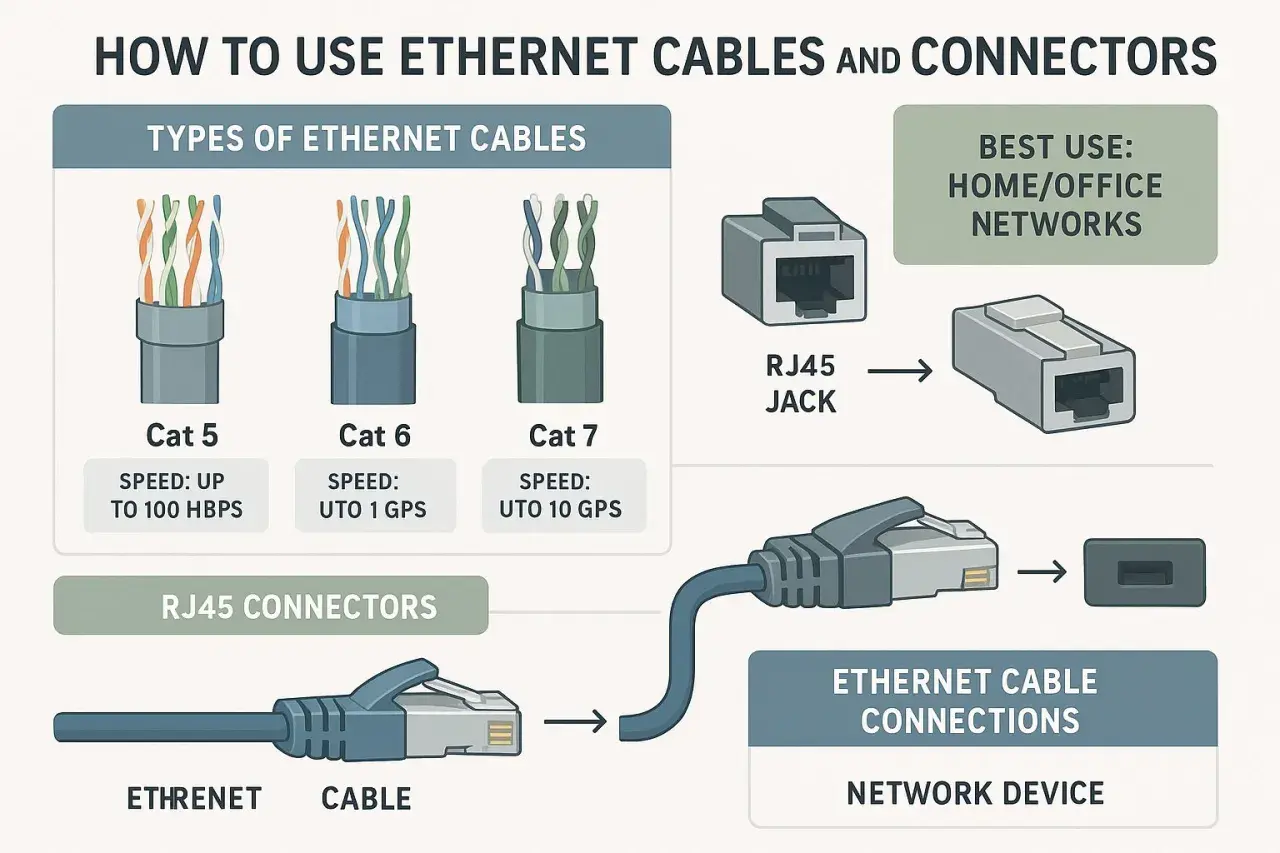
The practical takeaway is that connector choice follows the environment first
- RJ45-style modular connectors dominate indoor copper Ethernet because they are cheap, familiar, and widely supported.
- M12 and M8 connectors are the better fit when vibration, sealing, or machine-floor durability matters.
- LC and SC fibre connectors show up when distance, EMI, or backbone capacity makes copper a poor fit.
- Pinout and category still matter; the connector shell alone does not guarantee performance.
- Shielding has to be consistent across cable, plug, jack, and grounding strategy.
The connector families you are most likely to meet
| Connector family | Where I would expect to see it | Why it matters | Main limitation |
|---|---|---|---|
| RJ45 / 8P8C modular plug and jack | Desktops, switches, patch leads, office and cabinet copper links | Universal, cheap, and easy to source almost anywhere | Not sealed and not ideal for vibration or washdown |
| Keystone jack / modular socket | Wall outlets, patch panels, structured cabling terminations | Clean fixed termination for building and cabinet wiring | It is a socket format, not a cable-end plug |
| M12 D-coded | Industrial Fast Ethernet, sensors, I/O, machine networks | Sealed, vibration-resistant, and built for harsh environments | Typically tied to 100 Mbps-class industrial Ethernet |
| M12 X-coded | Industrial gigabit and 10G links | Higher bandwidth with robust circular locking | Bulkier and usually more expensive than RJ45 |
| M8 Ethernet variants | Compact devices and tight machine spaces | Smaller footprint where M12 is too large | More niche and more application-specific |
| LC fibre | Modern switches, SFP-based links, high-density fibre panels | Small form factor and very common in modern fibre systems | Needs the right optics, fibre type, and polish |
| SC fibre | Legacy plant rooms, simpler fibre patching, some industrial gear | Easy to handle and still widely understood | Physically larger than LC |
I start with this split because it clears up most of the confusion fast. Once you know whether you are in modular copper, industrial circular, or fibre territory, the rest becomes a specification check rather than a guessing game. That distinction matters most on copper, where RJ45 still dominates everyday networking.
Why RJ45 is still the default on copper Ethernet
In day-to-day networking, people say RJ45, even though the connector in modern Ethernet is usually the unkeyed 8P8C modular style. I do not get precious about the terminology in casual conversation, but I do care about the details: plug versus jack, shielded versus unshielded, and whether the termination was done cleanly. The plug is the male end on the cable, while the jack is the female socket in a switch, wall plate, or patch panel.
The pinout is another place where people overcomplicate things. T568A and T568B are wiring schemes, not connector types, and both can work perfectly well if the whole run is consistent. In practical terms, consistency matters more than which colour order you pick. For most indoor copper work, Cat5e still covers common 1 Gbps links, while Cat6A is the safer baseline if you want 10GBASE-T headroom at full channel length.
When I am choosing a modular plug, I also look at installation style. Pass-through and tool-less designs can save time, especially on site, but they do not magically improve the link. They help the installer more than they help the signal. The signal still depends on short pair untwist, a proper crimp or termination, and the right match between cable construction and connector design.
That simple modular system is ideal indoors, but once the environment gets harsher, I start looking at circular industrial connectors.
When industrial automation needs M12 or M8 instead
| Type | Typical role | What it buys you | Main trade-off |
|---|---|---|---|
| M8 | Compact devices, sensors, small machine nodes | Very small form factor and solid locking | Less universal and more limited in use cases |
| M12 D-coded | Fast Ethernet in industrial environments | Ruggedness, sealing, and vibration resistance | Usually the 100 Mbps-class choice, not the high-bandwidth one |
| M12 X-coded | Gigabit and 10G industrial links | Higher bandwidth with good shielding and locking | Bigger and more specialised than standard modular copper |
What I like about M12 in automation is not just the speed class; it is the mechanical reliability. The screw-locking or push-pull style stays seated where a loose modular plug might not, and the sealed construction is much better suited to vibration, dust, spray, and frequent maintenance. In a plant-floor setting, that often matters more than saving a few pounds on the connector.
M8 fills a different niche. It is the compact option when panel space is tight and the device spec calls for it, but it is not the universal fallback people sometimes hope it is. If the machine design does not ask for M8, I usually do not force it. For new industrial builds, M12 is still the more common default when copper needs to leave the comfort zone of a standard cabinet. Once the link has to travel farther or sit near electrical noise, fibre becomes the cleaner answer.
Why fibre Ethernet uses different connectors
Fibre is still Ethernet, just on optical media instead of copper. That means the connector conversation changes completely. In modern networks, I most often see LC on switch uplinks and transceiver modules because it is compact and dense. SC is larger, but it remains easy to handle and common in legacy infrastructure. ST still appears in older plant rooms, labs, and test setups, though it is no longer the first choice for new work.
With fibre, the plug type is only one part of the story. You also need the right fibre grade, the right polish, and the right optics at each end. A multimode link and a singlemode link are not interchangeable, and APC and UPC finishes are not the same thing either. I have seen perfectly good connectors blamed for failures that were really caused by the wrong transceiver or an incompatible patch lead.
The reason I reach for fibre is usually one of three things: distance, EMI immunity, or backbone design. In a noisy industrial area, optical isolation is a real advantage. In a building or campus backbone, the higher density and lower attenuation of fibre can simplify the layout. That leaves the real buying question: how do you choose the right connector for your own run?
How I would choose the right connector for a real project
- Start with the environment. If the link stays in a clean office or rack, modular copper is usually enough. If it is exposed to vibration, moisture, or frequent movement, I move toward M12 or fibre.
- Match the speed to the whole channel. A connector does not rescue an underspecified cable. For 10GBASE-T, I treat Cat6A as the safer copper baseline.
- Decide whether the termination is fixed or field-made. Wall outlets and patch panels want keystone-style sockets. Custom patch leads need modular plugs or pre-terminated assemblies.
- Keep shielding consistent. If the cable is shielded, the plugs, jacks, and grounding path need to support that design. A shield that is left floating or badly bonded adds confusion, not performance.
- Check the device side as carefully as the cable side. A panel socket, a switch port, and a field device do not always accept the same hardware style, even when the Ethernet standard underneath is the same.
For a UK office or control room, I would still start with RJ45 and the right cable category. For machine-level networking, I would move up to M12 once the link leaves a protected cabinet. For a backbone or an electrically noisy run, fibre is usually the cleaner long-term answer. Even when the right family is obvious, the usual failures come from bad termination choices, not from the connector family itself.
The mistakes that cause most Ethernet connector problems
- Mixing telephone-style plugs with Ethernet hardware because the shape looks similar.
- Choosing a high-category connector but pairing it with the wrong cable grade.
- Untwisting pairs too far during termination, which hurts signal integrity.
- Using shielded parts without a proper bonding plan from end to end.
- Assuming the wrong M12 coding will still mate or perform the same way.
- Forgetting that fibre connectors, optics, and polish types all have to match.
- Expecting a pass-through plug to compensate for poor stripping or crimping.
In my experience, those mistakes cost more time than brand differences ever do. The cleanest way to avoid them is to treat the connector as part of the design brief rather than a last-minute accessory.
A field checklist that still works in 2026
- Use RJ45-style modular hardware for standard indoor copper links.
- Use keystone jacks for fixed outlets, patch panels, and tidy structured cabling.
- Use M12 when the environment is harsh, sealed, or vibration-heavy.
- Use M8 only when the equipment spec and physical space make it the right fit.
- Use LC or SC fibre when distance, EMI, or backbone capacity pushes you away from copper.
- Keep Single Pair Ethernet on the radar for compact IIoT designs, but verify interoperability before treating it as a default.
If I had to reduce the whole topic to one rule, it would be this: start with the environment, then the speed, then the termination style. The connector is the last part of the decision, not the first, and that order saves more field time than any brand choice ever will.
