
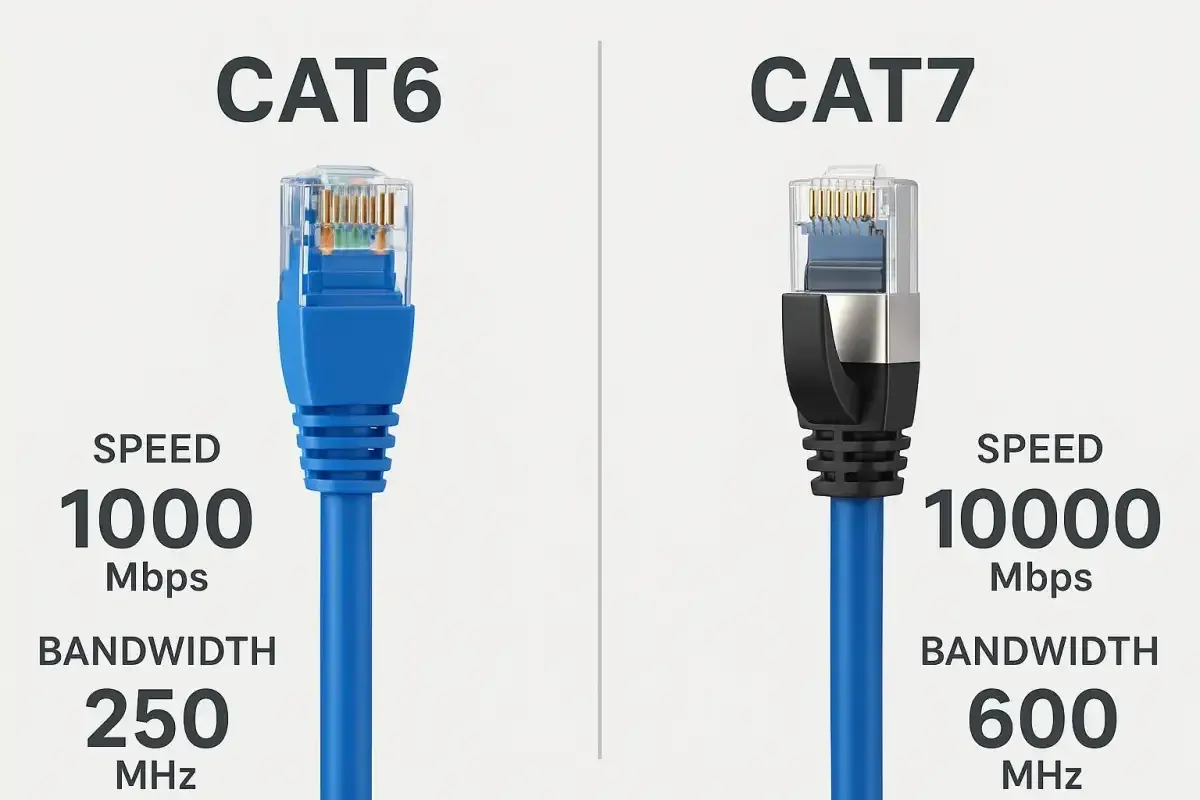
Category 7 is one of those cable types that gets oversold and misunderstood at the same time. The useful way to think about Cat 7 speed is that it is a 10 Gb/s-class, heavily shielded copper option with 600 MHz bandwidth, not a magic boost for every network. In this article I break down what that number means, where it helps, how it compares with Cat 6A and Cat 8, and what I would check before specifying it in a plant, office, or IoT deployment.
The short version for real networks
- Category 7 is best understood as a 10 Gb/s-class shielded copper standard, not a faster alternative to every other Ethernet cable.
- Its headline bandwidth is 600 MHz, which gives signal headroom and noise immunity more than raw speed gains.
- The speed you actually get depends on the entire channel - cable, connectors, terminations, and active devices.
- For most new copper installs, Cat 6A is still the simpler and more widely used 10 GbE choice.
- Cat 7 makes the most sense where EMI, shielding, and installation discipline matter more than connector convenience.
What Category 7 is actually rated to do
Category 7 is a shielded twisted-pair cabling class designed around 600 MHz performance and 10 Gb/s Ethernet operation. In standards terms, a true Cat 7 infrastructure maps to an ISO Class F channel, which is why it is usually discussed in the context of fully shielded cabling rather than ordinary unshielded office runs. The shielding is the point: it gives the cable more resistance to crosstalk and outside interference, especially in electrically busy environments.
That is also why I do not treat cable categories as simple speed stickers. Bandwidth and throughput are related, but they are not the same thing. A higher-frequency cable gives the signal more room to stay clean; it does not override the Ethernet standard on the other end. Cat 7 can be part of a very solid 10 GbE design, but the network still needs the right switches, NICs, and certification to deliver that result consistently.
One common misunderstanding is that the number on the jacket means the cable is somehow “faster” in isolation. In practice, Cat 7 is a signal-quality upgrade first and a speed upgrade second. That distinction matters once you start comparing it with Cat 6A and Cat 8.
Why the link speed depends on more than the cable label
The active hardware at each end decides the negotiated Ethernet rate. If the switch port is 1 GbE, the link will run at 1 Gb/s even if the cable is Cat 7, because the copper pair is only carrying what the devices agree to use. The same is true the other way round: if the endpoints support 10GBASE-T, but the channel is badly terminated or contaminated by noise, the cable becomes the bottleneck.
In my view, this is the part many buyers miss. They focus on the cable reel and forget the rest of the channel. A proper Cat 7 or Class F install still depends on:
- Correct termination on both ends.
- Matched shielded connectors and patch panels.
- Good grounding and bonding practice.
- Patch cords that match the rest of the system.
- Certification of the installed channel, not just the cable on the drum.
There is another useful technical detail here. 10GBASE-T does not demand anything like 600 MHz of useful signal space on its own, so Cat 6A already has enough headroom for full 10 Gb/s over the usual 100 m structured-cabling model. Cat 7 therefore does not create a higher Ethernet tier in the way people often expect. It creates a more robust copper path, which is useful only when the installation environment justifies it. That leads naturally to the places where Cat 7 still earns its keep.
Where Cat 7 still makes sense in industrial and IoT networks
For smart manufacturing and industrial automation, Cat 7 is most relevant when the cabling path runs through electrically noisy space. I am thinking of production lines with variable-frequency drives, motor control centres, robot cells, machine-vision cameras, high-power PoE devices, and dense cable trays where signal integrity can get ugly fast. In those situations, the extra shielding can be worth more than a simpler connector ecosystem.
A practical example is a packaging line with PLC cabinets, PoE cameras, and an uplink to a managed switch sitting near heavy machinery. The network may only need 1 Gb/s or 10 Gb/s, but stability matters more than headline throughput. Shielded Cat 7 can help reduce the risk of intermittent drops, retries, and mysterious noise-related faults that are expensive to diagnose once the line is live.That said, I would not reach for Cat 7 automatically just because the environment is industrial. If the route is short, the EMI is modest, and procurement simplicity matters, Cat 6A often gives the same practical outcome with less hassle. In other words, Cat 7 is a tool for specific conditions, not a universal upgrade. The next question is how it stacks up against the alternatives most buyers are really choosing between.
How it stacks up against Cat 6A and Cat 8
When people compare Ethernet cabling, they usually want a decision, not a standards lecture. This is the version I find most useful.
| Category | Rated bandwidth | Typical Ethernet speed | Typical reach | Best fit |
|---|---|---|---|---|
| Cat 6A | 500 MHz | 10 Gb/s | Up to 100 m | Default choice for most new copper installs |
| Cat 7 | 600 MHz | 10 Gb/s | 100 m class ISO F channel | Shielded environments where interference control matters |
| Cat 7A | 1 GHz | 10 Gb/s | 100 m class ISO FA channel | More headroom, but still a specialist choice |
| Cat 8 | 2,000 MHz | 25/40 Gb/s | Up to 30 m | Data centre links, not general building cabling |
The important takeaway is simple: Cat 7 does not give you more Ethernet speed than Cat 6A in the usual 10 GbE world. It gives you a different balance of shielding, noise tolerance, and connector complexity. Cat 8, by contrast, is the real step up in throughput, but its 30 m reach makes it a different design problem altogether.
For most UK office, plant, and smart-building projects, Cat 6A remains the practical baseline because it delivers the same 10 Gb/s target with a broader hardware ecosystem and easier procurement. Cat 7 only becomes attractive when the environment pushes back hard enough that extra shielding is worth the extra effort.
What I check before I specify or install it
If I am asked to spec Cat 7, I look beyond the cable datasheet and check the whole channel. That means I want to know exactly which connectors are being used, how the shielding is terminated, and whether the installed route will actually be tested as a complete system. Real Cat 7 design has historically been associated with specialised shielded connectors such as GG45 or TERA, even though many retail products are marketed with RJ45 ends that make the product look simpler than the standards story really is.
These are the practical checks I would run before approving it:
- Confirm the connector strategy. If the installation is supposed to be a true shielded Class F channel, the connectors and patch panels must match that design.
- Verify end-to-end shielding. One unshielded patch cord can undermine the value of the rest of the run.
- Check bend radius and tray space. Shielded cable can be stiffer, which matters in tight cabinets and overhead routes.
- Ask for certification, not marketing copy. A cable that “supports 10 Gb/s” on the box is not the same thing as a tested installed channel.
- Think about heat and PoE load. In dense bundles, cable construction and temperature rise matter just as much as the category label.
- Match the jacket to the building spec. Many UK indoor projects call for LSZH jackets, especially where safety and smoke performance matter.
For me, the most common mistake is buying a cable category before defining the channel. That is backwards. Once the route, grounding, connector family, and test plan are clear, the category choice becomes much easier to defend. If any of those pieces are fuzzy, the safest response is often to simplify the design rather than push Cat 7 for its own sake.
When I would skip Cat 7 and choose something else
If I am starting a new copper installation in 2026, I usually default to Cat 6A unless there is a clear reason not to. It gives me the same 10 Gb/s target, a cleaner RJ45-based ecosystem, and fewer procurement surprises. For most offices, production support areas, access points, and general-purpose industrial runs, that is enough.
I would skip Cat 7 entirely if the job needs one of these things:
- Very high throughput beyond 10 Gb/s, where fibre becomes the better answer.
- Longer runs with awkward routing, where copper margin disappears quickly.
- A simple, low-risk spec that site teams can source and terminate without special tooling.
- Uniformity across a mixed building estate, where Cat 6A is already the installed standard.
My rule of thumb is straightforward: choose Cat 7 when shielding is the real requirement, choose Cat 6A when you want the most practical 10 Gb/s copper option, and choose fibre when speed, distance, or electrical isolation matters more than twisted-pair convenience. That is the cleanest way to turn the cable label into a decision that actually helps the network.
