
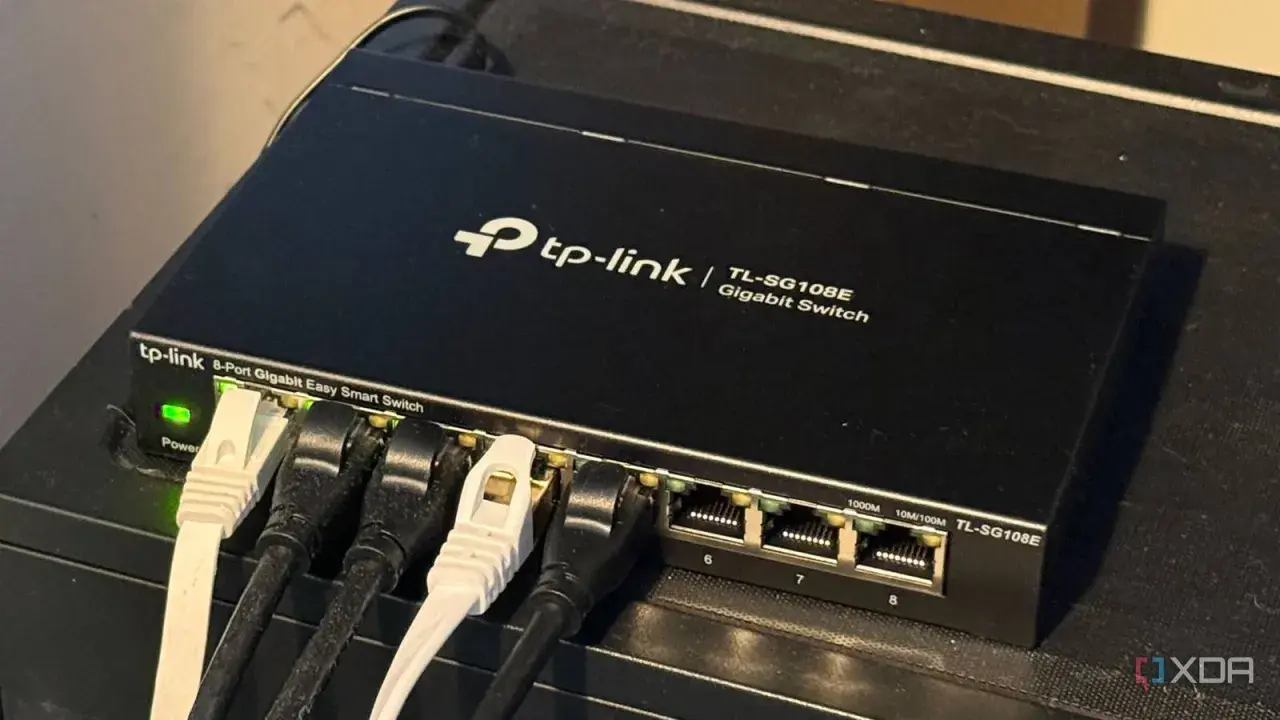
An unmanaged Ethernet switch is the simplest way to add wired ports to a network without opening a configuration page or touching advanced settings. People asking what does unmanaged ethernet switch mean are usually after a simple idea: a plug-and-play box that connects devices, learns where they are, and passes traffic along automatically. I will also show where it fits, where it falls short, and how I decide whether it is the right choice in offices, workshops, and industrial control environments.
The main things to know before you choose one
- It is a Layer 2 device that adds Ethernet ports and forwards frames automatically.
- It normally needs no setup, no login, and no ongoing administration.
- It is best for flat, fixed networks where every device can live in the same segment.
- It does not give you VLANs, traffic policies, remote monitoring, or fine-grained control.
- Many current models still offer Gigabit ports, PoE, and fanless operation, so “unmanaged” does not mean basic hardware.
What an unmanaged switch actually does
I usually explain an unmanaged switch as a quiet traffic director. You plug in your devices, and the switch builds a MAC address table, which is simply its internal map of which device sits on which port. When a frame arrives, it looks at the destination MAC address and forwards the traffic to the correct port instead of blasting it everywhere.
That is why it is not the same thing as a hub. A hub repeats traffic; a switch learns. In a small office, a test bench, or a machine cell, that automatic learning is often all you need. The hardware still does the real work, so if the ports are Gigabit, you still get Gigabit forwarding without having to tune anything.
Unmanaged also usually means there is no interface you are meant to log into, no policy to define, and no configuration state to keep track of. You connect power and Ethernet, the link lights come on, and the switch gets out of the way. That simplicity is the whole appeal, but it also explains the limits that matter in more serious networks.
What it does not give you
The trade-off is control. An unmanaged switch is built to stay out of the way, so it normally gives you very little visibility and almost no way to shape how traffic behaves.
- No VLAN control, so you cannot separate traffic into distinct logical networks from the switch itself.
- No traffic policies such as QoS rules that prioritise one stream over another.
- No useful monitoring through SNMP, logs, or a web dashboard you can audit later.
- No port-level tuning for mirroring, access control lists, link aggregation, or similar features.
- No remote administration if you need to adjust settings after the switch is installed in a cabinet or ceiling space.
That matters more than people think. If a network carries office PCs, cameras, PLCs, HMIs, and wireless access points, the need is not just “more ports”. The need is usually separation, tracing, and the ability to react when one device starts misbehaving. Once those requirements show up, unmanaged hardware starts to feel like a dead end. The comparison with managed and smart switches makes that trade-off much easier to see.
How it compares with managed and smart switches
I find it useful to split switch families into three tiers. The labels vary a bit by vendor, but the practical differences stay fairly consistent.
| Type | What you get | What you give up | Best fit |
|---|---|---|---|
| Unmanaged | Plug-and-play connectivity, automatic forwarding, simple operation | Configuration, VLANs, traffic visibility, policy control | Small, flat, stable networks |
| Smart | Basic web management, common features such as VLANs or QoS, limited visibility | Full depth of monitoring and enterprise-level control | Growing small businesses and lighter industrial setups |
| Managed | Detailed configuration, monitoring, diagnostics, segmentation, and tighter control | Higher cost and more setup effort | Larger or critical networks that need oversight |
The important point is that a managed switch is not automatically “faster” just because it is managed. In a plain setup, both devices may forward traffic perfectly well at the same port speed. The extra money buys control, troubleshooting depth, and flexibility. If you do not need those things, you are often paying for features you will never touch. That is why the real question is not which model sounds more advanced, but where it will actually live in the network.
Where it still makes sense in offices and industrial cells
I still recommend unmanaged switches when the topology is flat, the devices are trusted, and the network is unlikely to change often. In practice, that covers more situations than people expect, especially at the edge of an industrial or office network.
- Small office expansion when you only need extra ports for desktops, printers, and one or two access points.
- Machine-level networks where a PLC, HMI, engineering laptop, and a handful of sensors need to talk inside one small cell.
- Camera clusters where every device lives on the same local segment and no segmentation policy is required.
- Test benches and temporary racks where quick setup matters more than long-term visibility.
In UK industrial environments, I see unmanaged hardware most often at the machine edge or inside a small control cabinet, not at the core of the plant network. That makes sense: it is cheap, quick to deploy, and easy to replace. But the moment you need separate zones for production, guest traffic, remote access, or diagnostics, a simple switch becomes a weak place to build around. Choosing well is mostly about avoiding overload, so I look at port count, power, and environment next.
How I choose one without overbuying
My rule is simple: do not buy only for the network you have today. Buy for the network you will realistically have in the next year or two, and leave room for growth.
| What to check | My practical rule | Why it matters |
|---|---|---|
| Port count | Leave 20-30% spare ports | You will almost always add one more device sooner than expected |
| Speed | Use 1GbE as the default baseline unless you know you need more | It avoids obvious bottlenecks without overspending |
| PoE budget | Add the powered devices’ maximum draw and keep headroom | Cameras, phones, and access points can exhaust a cheap switch fast |
| Form factor | Pick fanless, rack, or DIN-rail hardware to match the space | Noise, dust, and cabinet layout matter more than product marketing |
| Uplinks | Check whether you need RJ45 or SFP/fibre | Long runs and cabinet-to-cabinet links can change the whole design |
| Environment | Use industrial-rated gear if the cabinet gets hot, cold, or dusty | Office hardware is not always happy on a factory floor |
If I suspect VLANs, remote diagnostics, or access control will be needed within months rather than years, I move straight to a smart or managed model. That is usually cheaper than replacing a “good enough” unmanaged switch after the network grows up. Once those checks are done, the buying decision becomes much easier to make.
The simplest rule I use before I specify a switch
My decision rule is blunt: if the network is local, flat, and stable, unmanaged is usually the cleanest answer. If the network needs segmentation, troubleshooting, traffic prioritisation, or remote oversight, I stop treating unmanaged hardware as the default option.
That is the practical meaning behind the term. An unmanaged switch is not a bad switch; it is a deliberately limited one. In the right place, it is dependable, cheap to run, and almost impossible to misconfigure. In the wrong place, it becomes the exact kind of component that hides problems until they are expensive.
