
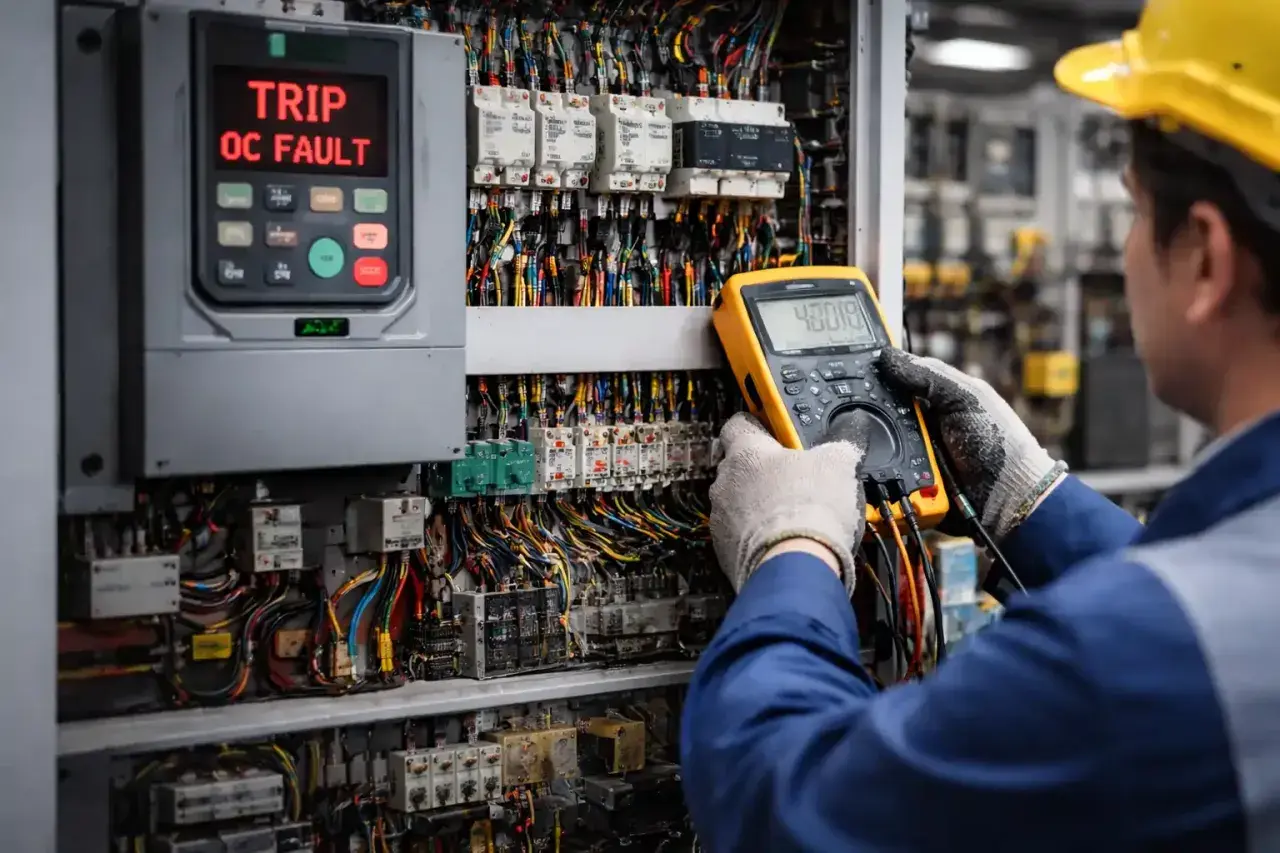
Variable frequency drives usually give enough clues to diagnose the problem if I read them in the right order. Good VFD troubleshooting starts with the fault history, not the reset button: I focus on power quality, wiring, motor condition, load behaviour, and the control signals that shape motion. In this guide I’ll show how I separate drive failures from machine problems, which faults matter most, and what actually fixes repeat trips on real production equipment.
The fastest fix comes from separating power, load, and feedback
- Most drive trips fall into a small set of buckets: overcurrent, overvoltage, undervoltage, overheating, earth faults, and feedback or communication loss.
- The first check is always evidence: fault code, timestamp, running state, and any pre-trip current or speed data.
- On UK 400 V sites, a missing phase, loose termination, or supply sag can look like a drive problem even when the drive is healthy.
- Motion-control symptoms such as hunting, jerky starts, or position drift often come from tuning, ramp settings, or encoder noise rather than the power section.
- Do not keep resetting a trip without a note of the cause; repeated restarts can hide a wiring or load issue that will come back under full production load.

Read the fault like a clue, not a verdict
The display is only the start. A fault usually tells me which protection layer was unhappy, not the exact broken part, so I record the code, the operating state, and any pre-trip values before touching the machine. If the drive keeps a log, I treat that log as more useful than a warm restart.
Most manufacturers separate alarms, warnings, and hard faults for a reason. A warning means the drive is drifting toward a problem, while a fault means it stopped to protect itself or the load. That distinction matters because a warning on a conveyor often gives you time to clean up a cooling issue, whereas a hard fault on a hoist or indexing axis can point to a serious protection event.
| What the drive shows | What I assume | What I check first |
|---|---|---|
| Fault | The drive stopped to protect the system | Code, trip history, load state, input and output conditions |
| Warning or alarm | Something is trending the wrong way | Temperature, current trend, feedback stability, comms quality |
| Repeated reset request | The root cause is still present | Power, wiring, motor, mechanical binding, parameter changes |
The useful habit here is simple: collect the evidence once, then move to the physical checks. That keeps me from chasing the wrong layer of the system, which is exactly why the next step is a disciplined inspection sequence.
Build a safe diagnostic sequence before touching the hardware
On UK machines I usually assume a 400 V three-phase supply until the nameplate says otherwise, and I check the drive terminals rather than trusting the upstream panel. After lockout and isolation, I look for heat marks, loose lugs, blocked airflow, damaged shields, and a motor fan that has stopped moving air.
- Verify isolation and follow the manufacturer’s DC bus discharge procedure.
- Check cabinet temperature, fan operation, and filter condition.
- Inspect input and output terminals for looseness, discoloration, or overheated insulation.
- Confirm the motor nameplate data matches the drive parameters.
- Inspect the motor cable, earth bond, and shielding route.
- If the machine allows it, test with the load uncoupled or at low mechanical load.
I do not megger a drive that is still connected, and I do not keep resetting a fault that comes back immediately. If a trip returns within two or three resets, I treat it as a persistent problem, not a nuisance. Once that sequence is in place, the pattern of the fault usually becomes much easier to read.
The fault patterns I see most often and what they usually mean
Most trips fall into a small group, and each one points to a different part of the system. That matters because an overcurrent trip rarely needs the same fix as a DC bus overvoltage on deceleration.
| Fault pattern | Most common causes | First check I make |
|---|---|---|
| Overcurrent or motor overload | Acceleration too fast, jammed load, wrong motor data, shorted winding, damaged cable, torque boost too high | Compare output current to the motor, inspect the machine for binding, verify motor parameters |
| Overvoltage on deceleration | Load regenerates, decel ramp is too short, braking resistor missing or failed | Lengthen the decel time and verify the braking circuit |
| Undervoltage or phase loss | Supply dip, loose termination, failed contactor, unstable source, utility transfer event | Measure input at the drive terminals under load |
| Ground fault or earth fault | Damaged insulation, moisture, crushed cable, motor fault, contamination in the enclosure | Isolate the motor and cable, then inspect insulation and grounding |
| Overtemperature | Blocked airflow, fan failure, high cabinet temperature, overloaded duty cycle | Check filters, fan operation, and cabinet cooling path |
| Encoder or communication loss | EMI, loose connector, bad shield termination, cable routing issue, node mismatch | Inspect shielding, connectors, and network or feedback wiring |
If a fault disappears when the load is removed, I suspect the machine before the drive. If it stays put with the motor isolated, I move back toward the drive, cable, or settings. That boundary is where a lot of wasted downtime disappears.
Motion-control symptoms are often tuning or feedback problems, not drive failure
A drive can be electrically healthy and still make a line run badly. In motion applications, I watch for speed hunting, jerk at start and stop, drift during hold, and following error on axes that need repeatable positioning. Those symptoms matter because they often show up before a hard fault does.
- Speed hunting usually points to poor tuning, noisy feedback, or a load that is oscillating mechanically.
- Jerky starts and stops often come from ramps that are too aggressive or from missing S-curve shaping.
- Position drift is more likely to be encoder scaling, coupling slip, or network latency than a power-stage fault.
- Tension instability on unwind and rewind systems is usually a PID and sensor issue.
- Sync loss between axes often starts with reference timing or master/slave setup, not with the motor itself.
One practical clue helps a lot: if current is steady but the motion quality is poor, I think about control first. If current is unstable, I go back toward load, motor, or drive limits. That split saves time on machines where the drive is only one part of a larger motion system.
Separate the drive from the motor, cabling, and machine
The cleanest test is the one that removes variables. If the motor can be run safely without the process load, I do that first. If not, I compare the drive’s behaviour against known-good wiring and a documented parameter set.
| Test | What it tells me | What a good result means |
|---|---|---|
| Run uncoupled from the load | Whether the problem is in the drive or the machine | If the fault clears, the load or mechanics deserve the next round of checks |
| Compare with a known-good parameter set | Whether the issue is configuration related | If behaviour changes a lot, the problem is likely in setup rather than hardware |
| Inspect motor and cable continuity | Whether the power path is intact | If readings are stable, the cable and motor are less likely to be the trigger |
| Check feedback wiring and shielding | Whether signal integrity is being compromised | If the signal is clean, hunting and encoder faults should reduce |
- Keep encoder and motor cables routed away from output leads.
- Check shield termination at both ends according to the machine design.
- Look for crushed cable, moisture ingress, loose plugs, and contaminated connectors.
- Use insulation resistance testing only with the drive disconnected from the circuit.
When a problem follows the cable or the motor, the fix is usually physical. When it follows the parameter set, the fix is usually logical. That distinction is how I avoid replacing an expensive drive that was only reacting to a bad signal path.
Stop repeat trips without hiding the real problem
Increasing the current limit or disabling an alarm can get a machine through the shift, but it is not a repair. I use those options sparingly, and only after I know why the trip happened and what the risk is if it returns.
- Match motor nameplate data, control mode, and autotune results to the actual motor.
- Review acceleration, deceleration, torque boost, and braking settings before increasing protection thresholds.
- Check process PID gains and reference scaling if the drive is part of a pressure, tension, or positioning loop.
- Use auto-reset only for faults you understand; on some drives, retry windows can be configured in a small range, but that should not become a habit.
- Log the trip data so the next fault is easier to correlate with load, supply, or temperature changes.
In practice, I would rather fix the reason for one clean shutdown than tolerate ten quick resets. The control system becomes more stable, and the maintenance team stops treating the drive as a mystery box. If the fault is real, it deserves a real cause and a real correction.
The notes that make the next fault faster to clear
When I hand a recurring drive issue to another engineer, I include the exact fault code, the timestamp, the speed reference, the actual output current, the cabinet temperature, and any recent parameter changes. I also note whether the trip happened at start-up, steady speed, deceleration, or during a load change, because that timing usually narrows the cause more than the code itself.
That habit pays off quickly on conveyor lines, pumps, winders, and indexing systems, where the same symptom can come from very different layers of the machine. Treat the drive as one part of a motion system, not the whole system, and the diagnosis becomes much shorter.
In practice, the best repair is usually the one that removes the root cause once and leaves the drive able to do its job without constant intervention.
